

Manga eReader: How to Create Your Manga Reading Flow
A Manga eReader delivers a smooth, low-friction experience when the essentials are aligned: the source of your manga, the way it's transferred onto the device, the reader app that opens it, and the display settings that keep pages sharp and legible. Want that experience to stay reliable across the whole series? This guide shows how to keep linework and tones clean, text easy to read, and library organization stable over time.
Manga eReaders: What They Are and Why They Work
What "manga eReader" means
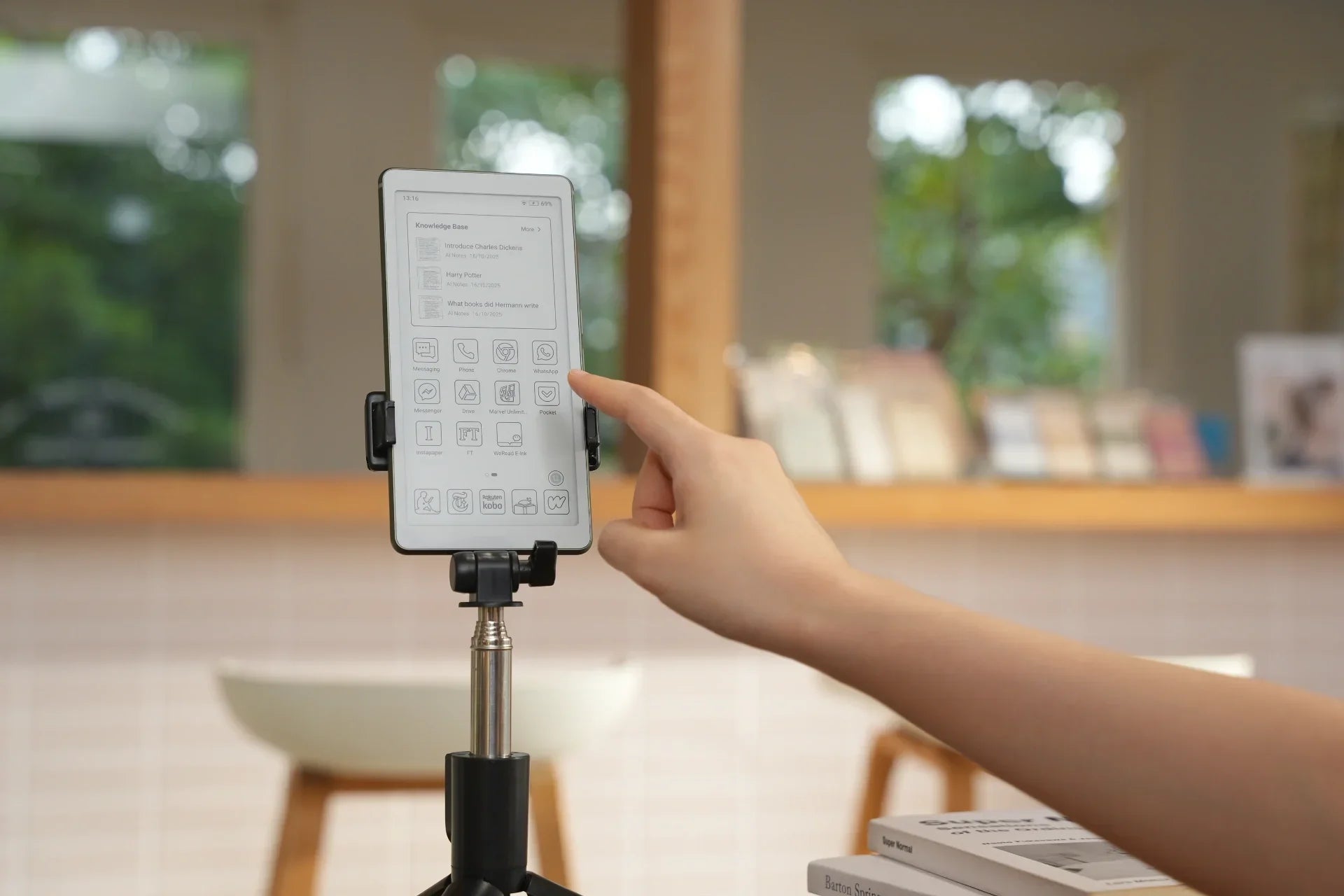
A manga eReader is an E Ink device specifically designed to offer a better reading experience for manga, providing crisp, high-contrast images, clear text, and smooth page turns. It's built to handle manga's unique demands, such as small, precise typography and detailed artwork, without requiring zooming, panning, or compromising reading comfort.
Why manga reads well on e-ink
Manga's visuals match e-ink's strengths.
Black-and-white linework, screen tones, and small text benefit from a display that holds crisp edges and stable contrast without forcing constant zooming.
Ambient light helps instead of hurting.
Because e-ink is reflective, ambient light works with the page, enhancing clarity and helping screen tones and fine linework stay distinct.
Long sessions feel less "screen-y."
E-ink doesn't rely on a bright emissive panel, so extended reading often feels calmer, especially with a gentle, even front light.
Page turns fit the tech.
Manga is naturally page-based, and e-ink handles page flips with a steady, repeatable rhythm that keeps pacing intact across dense dialogue pages, splash panels, and quick action sequences.
Where color e-ink helps and costs.
eReader in color is worth considering if you care about color covers and inserts, or if you regularly read full-color manga. The usual trade-off is slightly lower perceived sharpness and contrast on black-and-white pages compared to top black and white screens.
Trade-offs to expect.
Refresh is slower than LCD/OLED, so scrolling and heavy zoom can feel clunky. E Ink ghosting can appear depending on the refresh mode. Subtle tones can vary by device, and a 'soft' look is usually caused by file quality or resizing, rather than the screen.
How to Read Manga on an eReader: Step-by-Step Workflow
Reading manga on an eReader works best as a repeatable routine. The steps below outline the full path from getting manga onto the device to dialing in panels and text, with quick checkpoints that keep the workflow smooth.
Step 1: Pick a manga source
1. Store purchases
Best for a smooth "buy → sync → read" loop, with reliable formatting and clean series tracking inside one ecosystem.
2. Subscriptions
Best for breadth and discovery via a manga reader app, with offline downloads and reading history handled in-app.
3. Library borrowing
Best for value, as long as your region, lending platform, and device/app support the borrow-and-read flow without format friction.
4. Personal files
Best for building a portable library under your control. Formats and folder naming require a bit more management, but the payoff is long-term flexibility and reliable archiving.
Step 2: Download or import manga
1. Download inside the store/subscription app (offline)
Use the app's offline download option, confirm where the files are being saved, then download in batches over stable Wi-Fi to ensure each volume opens reliably later.
2. USB-C transfer from a computer (fastest for personal files)
Connect the eReader, copy volumes into a single Manga folder, and maintain a consistent structure like Series Name / Vol 01, Vol 02...
3. Cloud drive sync (best for cross-device access)
Sync one canonical Manga folder, avoid scattering files across multiple directories, then let your reader app re-scan once.
4. Wi-Fi transfer tools (cable-free)
Use browser-based or companion transfer tools when cables aren't convenient, and always save files to the same destination folder.
5. Email/share-to-device (good for one-offs)
It works for a single volume but becomes inefficient for long series, so it's best used only when a full library is not being built.
Step 3: Open manga in a reader app
1. Choose the reader based on your source
-
Store ecosystem: Use the built-in reader for the most reliable series tracking.
-
Subscription: Use the official manga reader app so offline downloads and reading history stay in sync.
-
Personal files: Use a reader that supports comic archives and provides solid series and library grouping.
2. Set manga-critical reading controls once
-
Reading direction: right-to-left, where applicable.
-
Page turns: tap zones (customizable if possible).
-
Default fit: fit-to-width or crop-margins-first for comfortable text.
3. Keep volumes organized with one simple structure
-
One root folder: Manga/
-
Series folders: Manga/Series Name/
-
Consistent naming: Vol 01, Vol 02… (two-digit numbering for correct sorting)
4. Use the app's library layer for status, not storage
Use collections or tags like Currently Reading, Next Up, and Completed to track reading status inside the app, then rely on folders and filenames for the actual file structure, so series remain easy to locate even if the reading app changes.
Step 4: Optimize for manga panels
Once the workflow is stable, optimization is just fine-tuning so panels render cleanly and text stays readable, like focusing a camera lens to sharpen what's already there.
Device-level tweaks (especially on e-ink screen).
-
Refresh mode: use a higher-quality mode for reading pages (cleaner tones), and reserve faster modes for navigation/menus.
-
Full refresh frequency: If ghosting is distracting, enable Page Refresh or increase full-refresh frequency if the device provides that option, then reduce it if page turns start to feel slower.
-
Front light: keep it low and even. Manga contrast usually improves with modest lighting rather than max brightness.
- Disable UI flourishes where possible: anything that animates is friction on e-ink.
In-app tweaks that actually matter for manga.
-
Fit width first: manga text is usually clearest with fit-to-width in portrait. If the text still feels too small, switching to landscape can make a noticeable difference without relying on zoom.
-
Crop margins: trimming white borders can noticeably increase effective panel size on smaller screens.
-
Sharpening/anti-aliasing controls: Adjust these cautiously. Too much sharpening can make screen tones look harsh, and too much smoothing can make linework look soft.
-
Panel view / guided view (if available): It may help on dense pages, but it should be a choice, not a requirement. If a panel view is needed on every page, file quality or screen size is usually the limiting factor.
This is where "Can you read manga on ereader?" stops being a theory question and becomes a practical yes, especially once full pages are comfortable without constant pinch-zoom.
Step 5: Fix common issues
Problems tend to repeat, so it helps to think in symptom → cause → fix, and handle them like routine maintenance rather than personal failure.
Problem: "The file won't open" or opens as a blank/garbled book.
Likely cause: unsupported format or a reader that doesn't handle that container well.
Fix: Try a reader that supports comic archives (CBZ/CBR) if you're using those, avoid treating manga-heavy content as a generic document when possible, and keep PDFs as a last resort unless they're specifically prepared for manga. EPUB is another great option for eReaders that support it, as it maintains better scalability and readability for manga layouts.
Problem: "DRM won't let me move this manga" or it only works in one app.
Likely cause: platform-locked content by design.
Fix: Read it in the official app or device ecosystem with offline download enabled. Don't plan your personal library workflow around content you can't legally export or transfer.
Problem: "Pages look blurry" or text feels slightly soft.
Likely cause: low-resolution source, heavy compression, or poor resizing.
Fix: Prefer higher-quality releases, avoid re-compressing files, turn off overly aggressive smoothing, and use crop margins/fit width before you resort to constant zooming.
Problem: "Text is too small" even though the file opens fine.
Likely cause: the view is scaling pages to fit the full layout, or margins and spread view are shrinking the usable reading area.
Fix: Adjust the view so the page fills the screen more effectively (fit-to-width, crop margins, and avoid spread view unless needed). If text remains consistently uncomfortable, it's usually a screen-size fit issue.
Problem: "Page turns are slow."
Likely cause: heavy files (large PDFs), slow decompression, or app animations fighting e-ink refresh.
Fix: Use page-based reading modes, disable animations, switch refresh mode for the reading app, and prefer manga-friendly formats/readers that don't require re-rendering each page like a document viewer.
Problem: "Right-to-left feels wrong" or navigation is confusing.
Likely cause: app defaults not set for manga.
Fix: Set reading direction and tap zones once, then keep those settings consistent by using the same reader for that library to avoid navigation errors.
FAQ
Q1: Can you read online manga on an eReader?
Yes, if the eReader supports web browsing or apps. On Android e-ink devices, online reading is typically best through an official manga reader app with proper page turns and offline caching. On closed eReaders, browser-based reading can work, but store or file-based reading is typically smoother.
Q2: Can I get manga on Kobo?
Yes. Kobo sells manga in the Kobo Store, and purchases sync to the Kobo library for offline reading and progress tracking across Kobo devices and apps, with availability varying by region and licensing.
In supported markets, Kobo Plus also offers a subscription catalogue for comics and manga, with eligible titles clearly labeled.
For personal files, Kobo eReaders support CBZ/CBR (plus EPUB/PDF), so sideloaded manga can be read without conversion in many cases.
Q3: What are the recommended manga apps for eReaders?
For an Android eReader, these are the most solid, widely-used manga reader app options, grouped by what they're best at:
Official publisher apps
1. MANGA Plus by SHUEISHA (Shueisha) for simulpub-style chapters and a broad official lineup.
2. Shonen Jump Manga & Comics (VIZ) for official Jump reading with a large catalogue.
3. K MANGA (Kodansha) for Kodansha titles, with availability depending on region.
4. Manga UP! (SQUARE ENIX) for Square Enix's official catalogue.
Subscription and catalog-style readers
5. Omoi: Manga Reader (formerly Azuki) for an officially licensed catalogue with frequent updates.
6. INKR — Comics, Manga, Webtoons for a broad mixed catalogue.
Buying full volumes in-app
7. BOOK☆WALKER (Global) for purchasing and reading volumes in one library.
Library borrowing
8. Libby (OverDrive), if local libraries provide manga digitally in your region.
Personal files (CBZ/CBR, EPUB, PDF)
9. Perfect Viewer for CBZ/CBR and image-archive reading with strong page layout controls.
10. KOReader, an e-ink-focused reader that supports CBZ/CBR plus EPUB and PDF.
Q4: What file format is best for manga on an eReader?
For store/subscription content, the best format is whatever the platform delivers. For personal files, CBZ/CBR are often ideal because they preserve pages as images and behave as natural page turns. EPUB is another good option for eReaders, offering flexible layout adjustments for a smoother reading experience. PDF can work, but results depend more on how the file was prepared and which reader opens it.
Manga eReader: Key Takeaways
A Manga eReader enhances your reading by focusing on crisp lines, clear text, and smooth page turns. Choose a manga source, download or import the volumes, open them in the right manga reader app, then adjust settings for readability to lock in a streamlined workflow. Once set up, the eReader minimizes distractions, keeps your library organized, and makes manga reading effortless, whether using a store-based system or a flexible manga reader on Android.


Commenta
Questo sito è protetto da hCaptcha e applica le Norme sulla privacy e i Termini di servizio di hCaptcha.