

For most people comparing Viwoods vs reMarkable, handwriting is only half the decision. The more useful question is what needs to happen after a note is written.
Viwoods AiPaper combines a monochrome E Ink writing surface with Android 13, Google Play access, flexible file transfer and integrated AI tools. reMarkable Paper Pure keeps the experience more deliberately contained around handwriting, documents and reMarkable’s companion ecosystem.
AiPaper suits workflows that move between notes, reading, PDFs, apps and follow-up actions; Paper Pure suits people who want fewer software choices around a focused digital notebook.
Current-model comparison: This article compares the full-size monochrome Viwoods AiPaper and reMarkable Paper Pure, using official product information reviewed in October 2026. Software features and availability may change with updates.
Which buyer type fits each tablet?
This is less a contest over which tablet has the longest feature list than a decision about how much of a working system the paper tablet should contain. Both support handwriting and document annotation, but they draw the boundary around digital paper differently.
Viwoods AiPaper
Choose flexibility around handwriting
AiPaper makes more sense when handwritten notes sit beside research PDFs, cloud files, reading apps, planning and other Android tools. Its advantage appears when information needs somewhere useful to go after capture.
reMarkable Paper Pure
Choose deliberate software constraint
Paper Pure keeps writing, documents, folders, tags and reMarkable’s companion services at the centre. Fewer possible paths can be an advantage when the goal is to reduce decisions around writing.
Which Viwoods and reMarkable models are being compared?
The head-to-head is the 10.65-inch monochrome AiPaper against the 10.3-inch monochrome Paper Pure. reMarkable 2 has been discontinued and replaced by Paper Pure, so older reMarkable 2 comparisons no longer describe the current equivalent.
Viwoods AiPaper
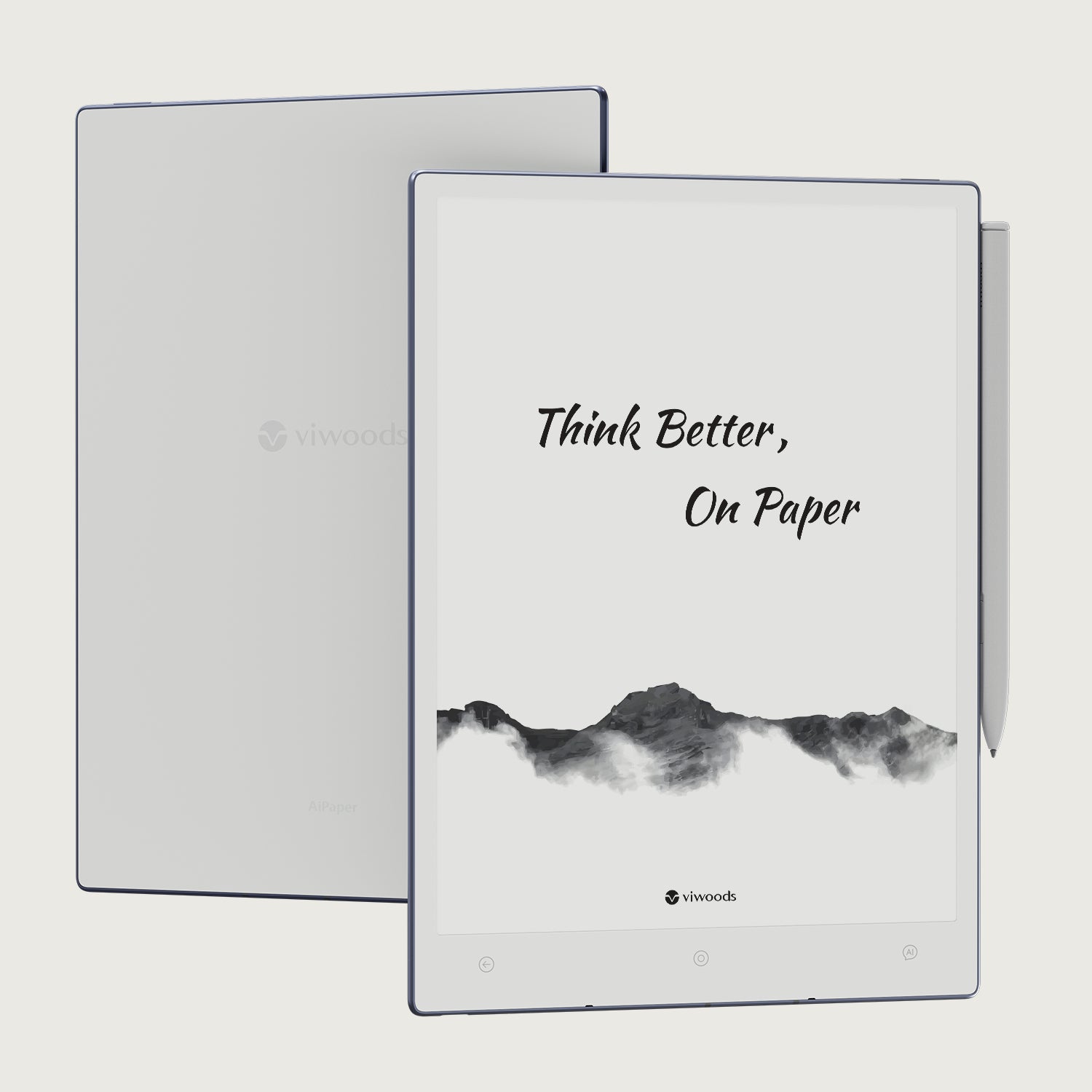
10.65-inch Carta 1300 / Mobius display, Android 13, Google Play available, no front light, 370 g and 4.5 mm thick.
reMarkable Paper Pure
10.3-inch monochrome Canvas display based on E Ink Carta 1300, reMarkable OS, no reading light, approximately 360 g and 6.0 mm thick.
Both are full-size monochrome E Ink tablets, but their displays are not identical. AiPaper has a 300 PPI display, compared with 226 PPI on Paper Pure. This difference is worth considering for small text and detailed documents, although page layout, file quality and annotation tools also affect everyday reading comfort. If size is still undecided, the Viwoods paper tablet range provides full-size and compact alternatives.
How do Viwoods and reMarkable differ for writing and handwriting?
Both products are built around stylus input rather than treating handwriting as an accessory to conventional tablet use. Both support digital notebooks, handwriting conversion and tools for organising or editing written material. The useful difference appears after the pen leaves the page.
Paper Pure keeps the note inside a deliberately cohesive notebook system. Pages can be organised with folders and tags, converted to text and continued through reMarkable’s desktop, mobile and web environment. That makes the workflow easy to understand when handwritten work is primarily intended to remain inside a digital notebook.
AiPaper gives the same handwritten starting point more possible destinations. Handwritten items can feed planning and task workflows, while notes can connect to files, meeting tools, AI commands or compatible Android applications. For someone comparing Viwoods vs reMarkable for writing, the key question is therefore not simply which device accepts a stylus. It is what the note needs to become next.
AiPaper path
Capture first, then choose the next action
- Write the note by hand.
- Select, organise or convert useful content.
- Move an action into planning, AI or a file workflow when needed.
- Continue through native tools or compatible Android apps.
Paper Pure path
Capture, organise and stay within the notebook
- Write with Marker.
- Organise work through notebooks, folders and tags.
- Convert or search handwriting where supported.
- Continue through reMarkable’s companion ecosystem.
The point of the open system is not to make handwriting busier. It is to keep writing central while reducing the need to re-enter the same information somewhere else afterwards.
Which supports the broader reading and PDF workflow?
Paper Pure provides a contained reading model. It supports imported PDF and EPUB files, handwriting over documents and Read on reMarkable for bringing web and Microsoft Office content onto the device. DRM-protected ebooks and Kindle books are not directly supported.
Viwoods AiPaper combines native document tools with an open Android environment. Google Play access means compatible reading and productivity apps can sit beside local documents. Native tools include landscape viewing, highlighting, tags, annotation and current PDF functions such as inserting blank pages and exporting individual pages while retaining highlights and annotations.
Reading sources
AiPaper. Local documents plus compatible Android reading and productivity apps.
Paper Pure. Imported documents plus reMarkable’s web, Office and companion-app routes.
After markup
AiPaper: More possible destinations. Useful when annotations must feed tasks, files, AI or another application.
Paper Pure: More contained review loop. Useful when the main task is read, annotate, organise and revisit.
Low-light use
AiPaper: No integrated front light. The full-size monochrome AiPaper relies on ambient light.
Paper Pure: No integrated reading light. Paper Pure likewise relies on natural or room light.
For Viwoods vs reMarkable for reading, the deciding factor is therefore often the source and destination of the material rather than basic annotation support. Third-party Android apps should still be judged individually because software designed for an LCD display does not automatically become ideal on E Ink.
A PDF that is simply reviewed and filed needs a different workflow from a research document whose highlights, handwritten comments and follow-up actions must continue elsewhere.
How do their file and knowledge workflows differ?
AiPaper gives files several routes into and out of the device. Viwoods supports USB-C, email, Google Drive, Dropbox, OneDrive, Bluetooth, Wi-Fi transfer and ViTransfer. Current software also supports batch import and export through My Files, Local Storage and Cloud Drive.
That flexibility matters when a paper tablet sits between several existing systems. A report can arrive from cloud storage, be annotated on the device and contribute material to a knowledge or task workflow without making one proprietary cloud the only route through the process.
reMarkable also provides several transfer options. Documents can move through its desktop, mobile and web apps, USB, email and integrations including Google Drive, Dropbox and OneDrive. The structural difference is that organisation remains more closely centred on reMarkable’s own account, cloud and companion-app ecosystem.
Connect expands that ecosystem with unlimited cloud storage and sync, handwriting search, editing in companion apps and additional workflow features. Without Connect, the tablet still supports core writing, file transfer and several integrations, but some cloud and cross-device capabilities are reduced.
How do AI tools and operating-system philosophy differ?
The comparison has changed during 2026. It is no longer accurate to frame this as “Viwoods has AI and reMarkable does not.” reMarkable now uses AI in Connect workflows that can convert handwritten material and organise annotations into summaries, reflections or next actions.
AiPaper applies AI across a broader set of native working contexts. Current Viwoods software supports custom AI commands across Paper, Meeting, Daily and Pick Notes, while clipped annotations can also use AI Assistant functions. The purpose is to process material while it is still part of reading, meeting or planning work rather than treating AI as a separate destination.
reMarkable philosophy
Control the environment to reduce possible distractions.Viwoods philosophy
Keep E Ink central while allowing more workflow choices around it.Neither approach automatically creates better concentration. Restricting possible actions can reduce distraction. More flexibility can reduce device switching when those extra routes are genuinely part of the work.
What changes in portability, learning curve and ecosystem fit?
The physical difference between these full-size devices is modest. AiPaper is listed at 370 g and 4.5 mm thick; Paper Pure at approximately 360 g and 6.0 mm. Ten grams is unlikely to determine the purchase. Software behaviour is usually more consequential.
Learning curve: Paper Pure is narrower
Fewer available paths can make the working model quicker to understand.
Workflow range: AiPaper is broader
Apps, transfer methods, AI and planning tools can preserve an existing workflow.
Distraction: Configuration matters
Android is most useful when only purposeful applications and actions remain visible.
A common buying mistake is treating openness as an automatic advantage. It is valuable only when there is something specific to connect: a reading service, cloud folder, work app or recurring file process. Someone who does not need those routes may prefer Paper Pure precisely because there is less to configure.
The reverse also applies. A simpler system stops being simple if missing tools repeatedly force work onto another device. The better fit is the tablet whose constraints match the repeated work rather than interrupt it.
Which user should choose each option?
The easiest way to resolve this E Ink tablet comparison is to examine a normal week rather than the longest specification sheet. Look at where documents come from, what happens to handwritten notes afterwards, which reading sources matter and how often work needs to leave the tablet.
AiPaper fits more naturally if you…
- read across PDFs, local files and compatible Android applications;
- want handwritten notes to feed tasks, structured material or AI-assisted follow-up;
- regularly move documents through several cloud or transfer methods;
- want a reMarkable alternative without returning to a conventional LCD tablet;
- prefer to adapt the device around an existing workflow rather than rebuild the workflow around one ecosystem.
Decision signal: your notes frequently need somewhere else to go.
Paper Pure fits more naturally if you…
- want handwriting and document review to remain the dominant activities;
- prefer a purpose-built interface with fewer application decisions;
- are comfortable organising work through reMarkable’s ecosystem;
- mainly read PDFs, EPUBs and content brought in through reMarkable’s tools;
- see software limitation as a useful part of maintaining a writing-first environment.
Decision signal: staying on the page matters more than extending the page.
Before ordering
Run five checks against your real workflow
These questions are more useful than comparing features that may never become part of daily use.
- Check the lighting requirement. If an integrated reading light is essential for frequent night use, neither of these exact full-size monochrome models meets that requirement.
- Name the apps that actually matter. If a particular Android reading or productivity app is central to choosing AiPaper, consider how well that app is likely to work on an E Ink display rather than assuming every Android app will feel native.
- Map one real file journey. Write down where a typical PDF arrives, where it is annotated and where it must go afterwards. That often reveals which ecosystem creates fewer hand-offs.
- Separate core functions from subscription functions. If Paper Pure is the stronger fit, confirm whether the Connect features you expect are part of the intended setup.
- Check the live package before paying. Included accessories, software availability and offers can change. Use the current product page as the final purchasing reference.
So, which E Ink tablet should I choose? Follow the hand-off after writing. If most notes end with “keep thinking here,” Paper Pure’s controlled environment is coherent. If they more often end with “turn this into a task, check another source, use an app, process this material or move it elsewhere,” AiPaper gives that next step more room.
For a broader decision before committing to a model, the paper tablet buying guide covers the wider display, portability and workflow questions.
If the AiPaper workflow matches the way you work, verify the product rather than adding more comparisons
The next useful step is to confirm the current AiPaper configuration, included accessories and live product information against the requirements identified above.
Verification and update note
This comparison reflects official product and software information reviewed in October 2026. Viwoods announces V3.15 as coming soon on its European store; confirm your device’s installed version and available features before relying on a specific update. reMarkable Connect includes handwriting search and selected AI-assisted tools, with access depending on software and subscription eligibility. Check the latest official information before purchasing.
Before purchasing: verify the current AiPaper product page and, for a competitor feature that is essential to the decision, check the official reMarkable Paper Pure specifications and software page. Live product information should take priority over an older screenshot, review or comparison.
Frequently asked questions
Which is better for handwriting?
Both are designed around handwriting, so the useful distinction is workflow rather than declaring a universal pen winner. Paper Pure suits handwriting that stays inside a deliberately contained notebook system. AiPaper suits handwriting that regularly needs to become tasks, AI-assisted material, files or input for other applications. Surface feel remains a personal preference.
Which supports a broader reading workflow?
AiPaper supports a broader range of reading paths because Android 13 and Google Play can extend reading beyond local documents into compatible third-party applications. Paper Pure concentrates reading around PDFs, EPUBs and content transferred through reMarkable’s own browser, Office and companion-app tools.
How do their software ecosystems differ?
AiPaper uses Android 13 with Google Play and several independent file-transfer routes. Paper Pure runs reMarkable OS, a purpose-built Linux-based system centred on reMarkable notebooks, cloud services and companion apps. One provides more configurable paths; the other intentionally limits them.
Which is better for PDFs?
Both support PDF annotation. Paper Pure is a natural fit when the workflow mainly ends with reading, marking and organising the document. AiPaper becomes more relevant when PDF material needs to continue into tasks, AI commands, files, cloud services or other applications.
Who should choose a simpler writing-first device?
Someone who mainly wants to replace notebooks and printed documents, prefers a small number of deliberate tools and is comfortable using reMarkable’s companion ecosystem is the clearest fit for Paper Pure. In that workflow, additional Android flexibility may add choices without solving a recurring problem.


Leave a comment
This site is protected by hCaptcha and the hCaptcha Privacy Policy and Terms of Service apply.