
Articolo: How to Use AiPaper for Research, Reading and Note-Taking
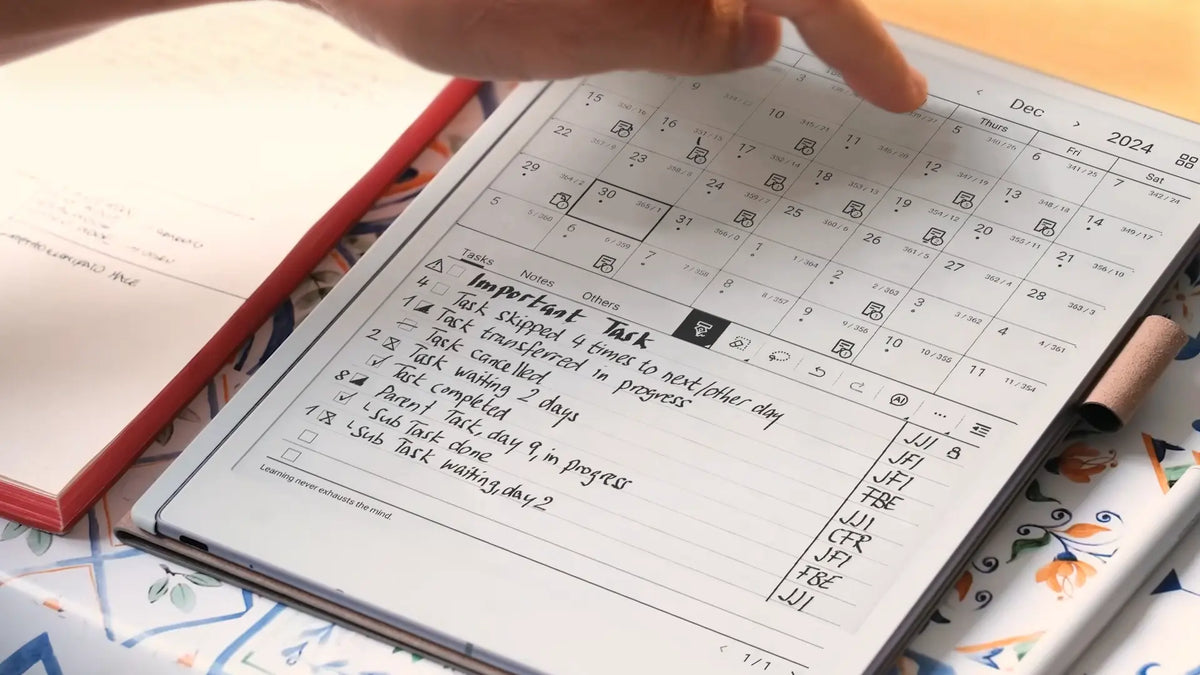
How to Use AiPaper for Research, Reading and Note-Taking
AiPaper for research works best as a continuous reading-and-thinking loop, not as a folder full of highlighted PDFs. Start with one research question and a bounded source set, annotate each paper with a consistent code, turn useful evidence into traceable source notes, and then compare those notes in a separate synthesis space. Finish each review cycle with an unresolved question or a concrete next action.
This approach keeps evidence, interpretation and follow-up distinct while giving reading, handwriting and structured notes a clear role in the same project. If that is already close to the way you work, you can also explore Viwoods AiPaper alongside the workflow rather than waiting until the end of the article.

Quick answer: a four-stage AiPaper research workflow
A practical research workflow has four different states. Keeping them separate prevents a common literature-review problem: collecting more and more material without knowing what has actually changed in your understanding.
- Scope: Write the research question, decide what evidence belongs, and build a manageable reading queue before opening the first paper.
- Read: Mark claims, methods, evidence, limitations and uncertainties with a code that means the same thing across sources.
- Extract: Convert useful annotations into a source note while keeping quotations and author claims distinct from your interpretation.
- Synthesise: Compare papers around the research question and record what the combined evidence changes, supports or leaves unresolved.
If the real requirement is to move repeatedly between papers, handwritten thinking, source notes and later review, evaluate the product against those tasks rather than against a generic tablet checklist.
Define the research question and source set
Do not begin with “read everything about the topic.” Begin with a question narrow enough to guide inclusion and broad enough to change as evidence accumulates. Then add a short rule for what belongs in the project.
Decide what the project needs to explain
- State the research question in one sentence.
- Define the types of evidence that can answer it.
- Set useful boundaries such as date, population, method or context.
- Decide what would make a source peripheral rather than central.
Build a source set you can actually process
- Use a recent overview when you need orientation.
- Add foundational sources that define the problem or method.
- Prioritise recent studies that directly address the question.
- Keep uncertain sources in a separate “possible” queue.
A simple file name such as Author-Year-ShortTitle is often enough. The point is not to create the most elaborate research library possible; it is to make every source easy to recognise when you return to the project later.
For formal academic work, keep your reference manager as the authoritative record for bibliography metadata, citation styles and publication details. AiPaper can sit closer to the reading and thinking process rather than trying to replace every research tool.
Read and annotate papers with a consistent code
Useful PDF annotation records why a passage matters. A page full of highlighting may show that something looked important at the time, but it rarely tells you how that evidence should influence the literature review.

A small annotation code solves that problem. Keep the code consistent so the same mark leads to the same reading decision across papers.
On Viwoods AiPaper, open your imported research PDF in Learning, use the Selection Tool to highlight relevant passages, and add handwritten comments with the pen tools. After reading, revisit your highlights in Reading Notes and use the most relevant evidence to build a source note.
- C — Claim: The paper's central proposition or conclusion.
- M — Method: Design, sample, measure or analytical choice.
- E — Evidence: A result that directly bears on your question.
- L — Limit: A boundary, caveat or source of uncertainty.
- Q — Question: Something unclear, missing or worth checking.
- X — Connection: A link to another source, theory or finding.
For long papers, use two passes. The first identifies the question, method, main result and limitations. The second returns only to sections that directly influence your own research question. This keeps annotation selective and makes later review much faster.
If PDF markup is the immediate task, use the dedicated VIWOODS guide to annotating research PDFs . This article takes the next step: deciding what those annotations should become after the reading session ends.
Separate source notes from your own synthesis
One of the most useful habits in research reading is to separate what the source says from what you think it means. If both are mixed in the same note, it becomes difficult to reconstruct provenance when drafting a paper, report or thesis chapter later.
One paper, one traceable evidence record
- Author, year and a short title or citation key.
- The paper's question or objective.
- Method, sample or evidence base.
- Main finding and important limitation.
- Exact quotation only when wording matters, with page number.
- A short explanation of why the source matters to the project.
Purpose: preserve what this individual source actually supports.
One question, several sources in conversation
- Group evidence by claim or research question.
- Record agreement and contradiction across papers.
- Compare methods before comparing conclusions.
- Write interpretation in your own words.
- Keep factual claims traceable to their source notes.
- Finish with a gap, hypothesis or next action.
Purpose: preserve what the combined evidence changes in your thinking.

How Viwoods AiPaper fits a research reading and note-taking workflow
Viwoods AiPaper can support several stages of research, but they do not all need to happen in one app. Use Learning to read and annotate PDFs, Paper to keep handwritten research notes, and a reference manager to maintain accurate bibliography details.
The practical question is whether this combination helps you revisit evidence, develop ideas and keep your conclusions traceable to their original sources.
- Read: Keep the source itself at the centre of the session rather than beginning from scattered screenshots or copied fragments.
- Annotate: Capture claims, evidence, limitations and questions while their surrounding context is still visible.
- Think: Use handwriting for interpretation, objections and connections instead of treating annotation as passive highlighting.
- Organise: Give useful research material a stable place by project and question so it can be found after the first reading session.
- Review: Use AI assistance selectively where it supports orientation or questioning while keeping source verification with the researcher.
If reading, handwriting and reviewing notes are part of the same project, compare the workflow above with the functions described on the Viwoods AiPaper product page.
Organise notes by project and research question
A useful research library should answer three questions quickly: which project does this belong to, which research question does it inform, and what kind of note am I looking at?
- Level 1 · Project: The container for the work Use one project space for the thesis chapter, review, report or analysis you are actively building.
- Level 2 · Question: The unit of synthesis Group notes around questions the project must answer rather than around broad subject labels.
- Level 3 · Note type: Source notes, synthesis notes and open questions Keep evidence records, interpretation and future work visibly distinct.
- Tags · Status: Use tags for function rather than duplicating folders Labels such as to-read, core, method, contradiction and follow-up can cut across the project hierarchy.
If one paper informs several questions, keep one canonical source note and refer back to it rather than creating multiple versions that may drift apart.
Review, compare and extract next actions
A literature review becomes analytical when sources are compared rather than merely summarised. After every three to five substantial papers, stop adding material and update the synthesis note for the research question.
- Identify convergence: Which claims appear repeatedly, and are the studies actually measuring or defining the same thing?
- Locate meaningful differences: Compare population, design, definitions, measures and assumptions before treating different results as a genuine contradiction.
- Mark the evidence gap: State what the current source set still cannot answer. A precise gap is more useful than another page of disconnected highlights.
- Convert the gap into an action: Write the next move: find a validation study, check a subgroup, read a cited mechanism paper or revise the research question.
A sample literature-review session
A focused session should end with a changed project state: one source processed, one synthesis updated and one next step visible.
- 0–5 minutes — Reopen the question. Choose one paper from the active reading queue and write why it is worth reading now.
- 5–30 minutes — Read for the question. Mark claims, methods, evidence, limitations and uncertainties instead of trying to capture every interesting sentence.
- 30–40 minutes — Build the source note. Paraphrase the core finding, record the method and limitation, and add a page number to any exact quotation you may need later.
- 40–50 minutes — Update synthesis. Record what the paper changes: agreement, contradiction, refinement, a new mechanism or an unresolved issue.
- 50–60 minutes — Verify and close the loop. Check important details, update the paper's status and write the next action before leaving the project.
Do not stop at “finished reading”. A source is processed when its useful evidence has a traceable home and its effect on the project is explicit. That is what turns research reading and note-taking into cumulative work.
Limits and verification habits for AI-assisted research
AI can reduce friction around orientation, explanation and review, but it should not become the evidence layer. Claims, quotations and methodological judgements still need to remain anchored to the original source.
Let AI help with structure and questioning
- Clarify an unfamiliar concept before reading further.
- Suggest questions to ask about a difficult passage.
- Condense your own rough notes into a review checklist.
- Propose comparison dimensions that you then test against the actual papers.
Verify before information enters the evidence trail
- Check quotations and page references in the original source.
- Confirm numbers, sample sizes, dates and definitions.
- Read the surrounding method and limitation sections before citing a result.
- Label AI-generated interpretation so it cannot later look like an author's statement.
Working rule: an AI summary can help decide what to inspect next, but it should not replace reading the passage that supports a claim you intend to use. For confidential, unpublished or restricted material, follow the relevant institutional or client data-handling rules before using an AI service.
The stronger use of AiPaper for research is therefore not “let AI read the literature for me.” It is a controlled workflow in which papers, handwriting, source notes, synthesis and review remain connected while the researcher stays responsible for evidence quality.
If this research workflow fits your routine, review the Viwoods AiPaper to see whether its reading and handwriting tools meet your needs. For detailed markup instructions, see the PDF annotation guide.
Further reading
- How to Annotate on a PDF: Boost Your Study Workflow
- How to Organize Handwritten Notes on a Digital Notebook
Frequently asked questions
Can AiPaper be used for literature reviews?
Yes. It can form part of a literature-review workflow in which papers are read, annotated, turned into source notes and revisited during synthesis. Keep dedicated reference-management software for formal bibliography and citation metadata when your project requires it.
How should research notes be organised?
Organise first by project and then by research question. Keep source notes separate from synthesis notes, and use tags for cross-cutting status or function such as core, method, contradiction, to-read or follow-up.
Can I annotate long PDFs?
Yes. Viwoods AiPaper supports PDF reading and annotation in Learning. You can highlight text, add handwritten comments, and use zoom or landscape view when reviewing dense pages. For lengthy research papers, identify the research question, methods, findings and limitations first. Then return to the sections most relevant to your review rather than annotating every page equally.
How do I separate quotations from my own ideas?
Mark exact quotations clearly and record the page number. Put interpretation, objections and connections on a separate line or in a separate synthesis note so copied language cannot later be confused with your own reasoning.
Should AI summaries replace reading a source?
No. AI summaries can help with orientation or review, but important claims, numbers, definitions, methodological conditions and limitations should be checked against the original source before they enter your research argument.


Commenta
Questo sito è protetto da hCaptcha e applica le Norme sulla privacy e i Termini di servizio di hCaptcha.