
Digital Notebook Templates: When Repeated Page Layouts Save Time
When Is a Digital Notebook Template Worth Using?
Not every note-taking task needs a template. If you open a digital notebook to brainstorm an idea, plan an unfamiliar project or work through a problem, a blank page is often easier. You can write wherever you need to without worrying about predefined sections.
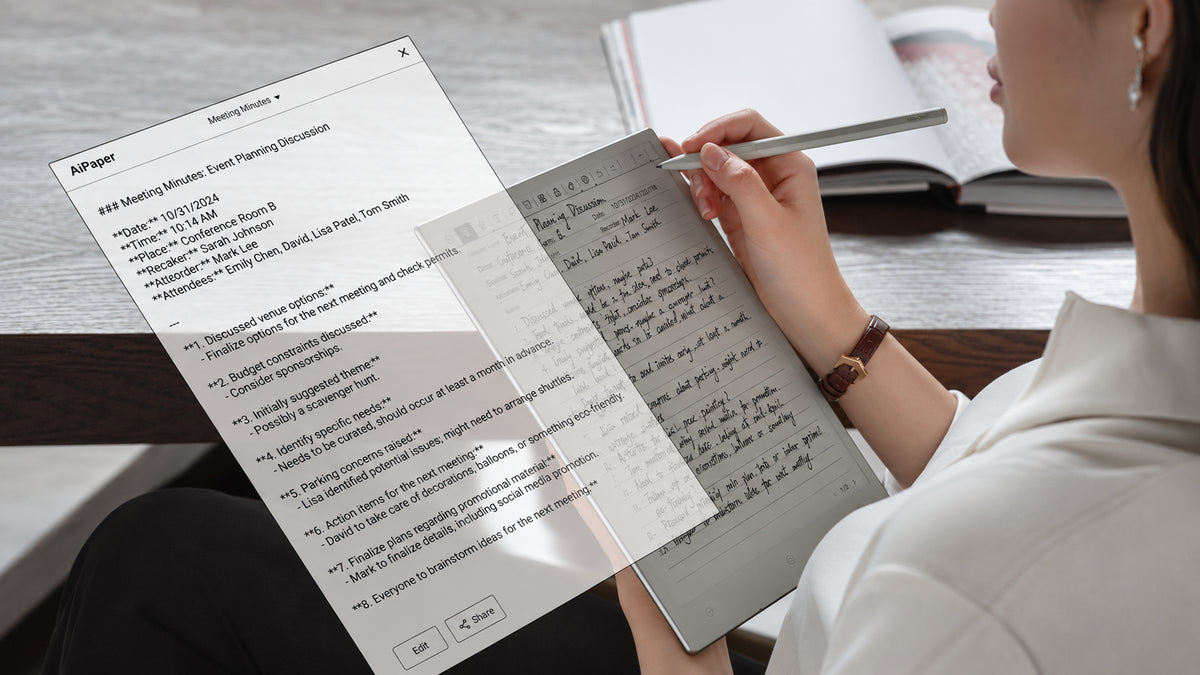
Templates are more useful when you repeat the same task and regularly record similar information. Think about a weekly project meeting. The discussion changes each time, but you probably still need to record the meeting date, important decisions, outstanding issues and next actions.
Creating those headings from scratch every week is unnecessary. A reusable page gives you a starting point, so you can spend more time recording the discussion and less time preparing the layout.
The important distinction is between repeating the work and repeating the information. A task does not need to produce identical notes to benefit from a template. It simply needs a few consistent elements that are worth keeping in the same place.
What Should a Useful Template Actually Include?
Start with the information you would normally write down, rather than trying to fill the page with as many sections as possible.
For a weekly project meeting, a practical layout might look like this:
- Meeting details: Date, project name and attendees. These usually need only a small area.
- Main discussion: The largest writing area, where you can record updates, questions and important points.
- Decisions: A separate space for agreements or changes that need to be remembered.
- Next actions: Tasks, responsible people and follow-up dates.
Notice that the main discussion area takes up more room than the meeting details. That is intentional. A date rarely needs more than one line, but an important discussion may take half a page to explain properly.
There is also no need to create a separate box for every possible meeting topic. One week might involve a delivery delay, while the next focuses on project progress. A general discussion area can accommodate both without forcing every meeting into the same pattern.
This is where custom templates can help. The Viwoods AiPaper digital notebook lists Custom Templates among its note-taking tools, allowing users to consider reusable page layouts as part of their digital note-taking routine.
Why Too Many Sections Can Make Note-Taking Harder
A template can save preparation time but still make writing less comfortable. This usually happens when the designer tries to predict every piece of information before the task takes place.
Imagine that a project meeting template has separate boxes for progress, budget, delivery, staffing, technical issues and customer feedback. If the meeting only covers two of these topics, much of the page remains unused. If an unexpected problem comes up, there may be no suitable place to explain it.
The problem is not that the meeting has changed. The problem is that the page has too many fixed boundaries.
A better approach is to keep only the sections that are consistently useful. Put occasional topics into a general notes area, and give important discussions enough room to develop. This also makes the page easier to scan later because decisions and follow-up tasks remain easy to find.
Empty sections are worth reviewing, but they should not automatically be removed. A risk or problem section may remain blank for several weeks and still be important when something goes wrong. Look at how often a field is useful and whether it deserves dedicated space, rather than judging it by whether it is filled in every time.
How to Tell Whether Your Template Is Working
The best way to evaluate a template is to use it during normal work. A design that looks balanced in a preview may feel quite different once you start writing.
After using the same layout for several meetings or work sessions, look at the finished pages. You will usually notice one of three things:
- Some sections are consistently useful. Keep them in the template because they make important information easier to find.
- Some sections are rarely relevant. Consider removing them or combining them under a broader heading.
- Some sections never have enough room. Increase their writing space instead of forcing longer notes into smaller areas.
For example, if you regularly write meeting decisions in the margins because the dedicated box is too small, the layout needs more room for decisions. If you repeatedly skip a separate budget section, it may work better as part of the main discussion area.
These changes do not require a completely new design. Often, moving a heading, removing an unnecessary box or giving more space to one section is enough to make the page more comfortable.
For more guidance on organising notes beyond individual page layouts, see our guide to digital notebook best practices.
Choose a Page Layout That Suits Your Writing Style
Even a well-planned template can be uncomfortable if its layout does not suit the way you write. Small sections may work for short reminders but become restrictive when you prefer longer handwritten notes. Grid-based pages may be more suitable when your notes include diagrams, sketches or structured annotations.
Viwoods AiPaper offers different page layouts, including structured analysis pages and grid-based designs. The template-selection screen below shows examples of the available layouts.
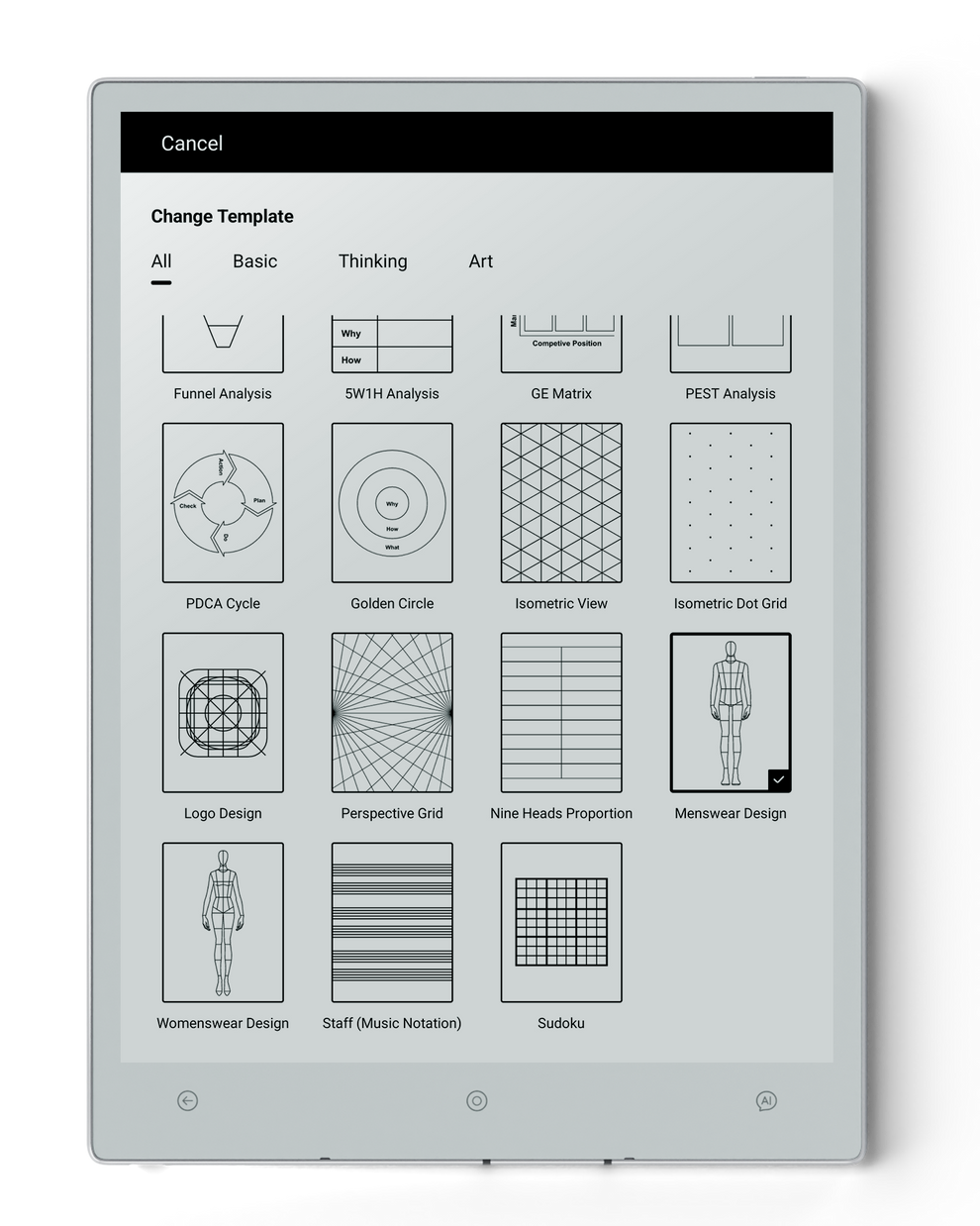
When choosing a layout, think about what you actually write. Someone who records short meeting updates may prefer clearly separated sections. Someone who works through technical ideas or draws diagrams may need a much larger open area.
It is also worth considering how much space your handwriting needs. A page can contain all the right headings and still feel cramped if each writing area is too small. A simpler layout with fewer sections may be more comfortable for everyday use.
If reusable page layouts suit your note-taking habits, explore the custom template options on Viwoods AiPaper.
Common Questions About Digital Notebook Templates
Should I create a separate template for every task?
No. Start with tasks that follow a similar pattern. If two activities need the same basic information, one adaptable layout may be enough. Creating too many templates can make choosing a page more complicated than starting with a blank one.
Can a digital notebook template include space for handwritten notes?
Yes. A useful layout can combine fixed headings with open writing areas. The amount of space should reflect how much you normally write in each section.
When should I stop using a template?
If the task changes significantly each time, or you regularly need to work around the predefined sections, a blank page may be more practical. Templates are useful when they support your work, not when they dictate how you record it.


Hinterlasse einen Kommentar
Diese Website ist durch hCaptcha geschützt und es gelten die allgemeinen Geschäftsbedingungen und Datenschutzbestimmungen von hCaptcha.