
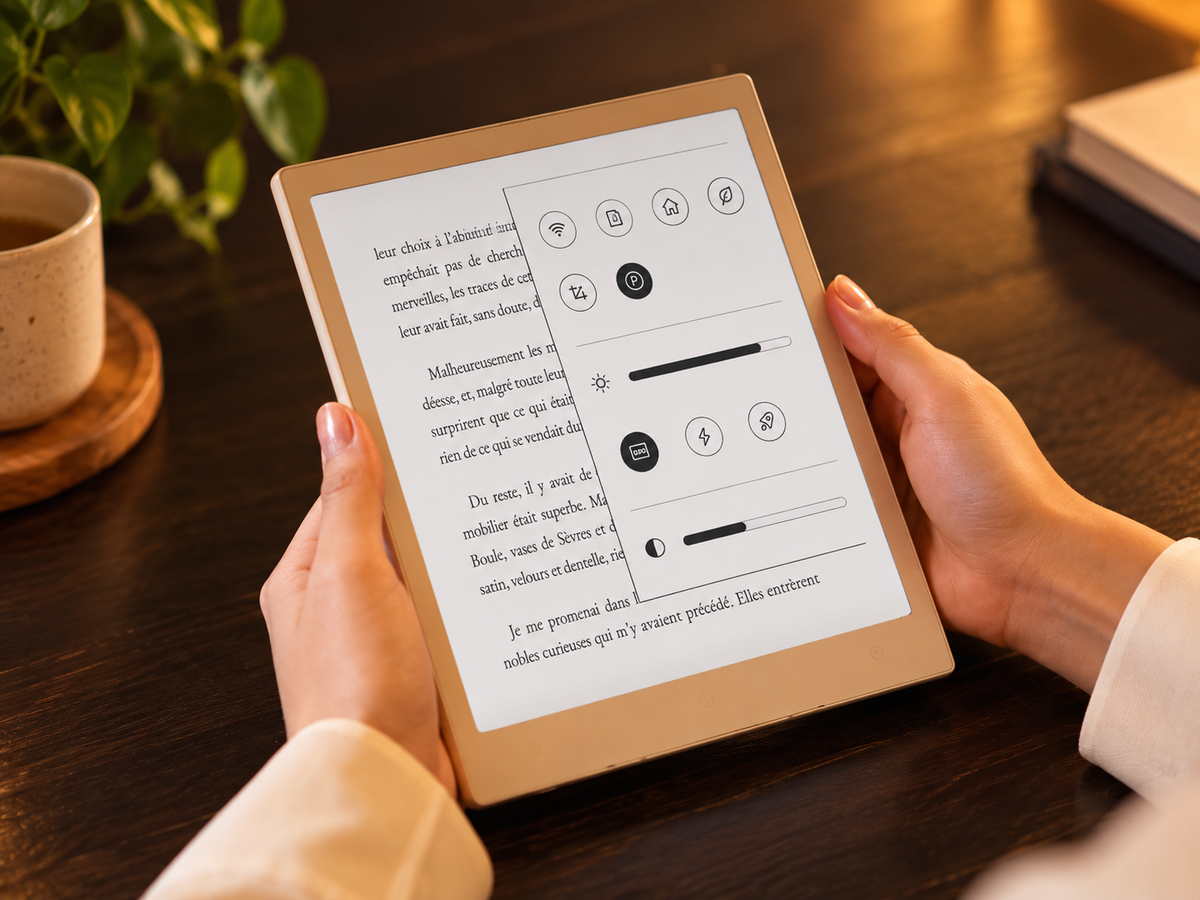
What is an E Ink tablet? An E Ink tablet is a tablet built around an electronic paper display rather than a conventional LCD or OLED screen. It uses electrically controlled pigment particles to form text and images, creating a reflective surface that behaves more like printed paper than a glowing display. Most models are designed around slower-changing content such as books, documents, handwriting and PDF annotation. Some add a stylus, note tools and broader apps; others stay closer to an eReader. The trade-off is important: E Ink prioritises readable static content, deliberate writing and focused work, while conventional tablets remain better for fast animation, rich colour, video and highly interactive apps.
How is an E Ink tablet different from an LCD tablet and an eReader?
The clearest distinction is between display technology and device purpose. E Ink describes how the screen creates and holds an image. An eReader describes a device category built mainly for reading. An E Ink tablet usually pushes electronic paper further into handwriting, document review, planning or productivity.
E Ink is an electrophoretic display technology. In a typical black-and-white panel, charged black and white particles move in response to an electric field so that the required particles become visible at the surface. Because the display is reflective, ambient light illuminates the page; a front light, when a device includes one, shines across the display rather than working like a conventional backlit LCD.
E Ink tablet
Built around reflective electronic paper and commonly designed for a mixture of reading, handwriting and document work.
- Natural fit: static pages
- Writing: model-dependent
- Motion: secondary priority
eReader
Also commonly based on electronic paper, but usually organised around books, libraries and long-form reading rather than active note workflows.
- Natural fit: books and articles
- Writing: not guaranteed
- Priority: reading simplicity
LCD or OLED tablet
Designed for rapid screen changes, rich colour, video, interactive apps and wider multimedia use.
- Natural fit: mixed media
- Writing: available on compatible models
- Motion: major strength
A current general-purpose tablet may use an LCD or OLED panel, depending on the model. Those displays update rapidly and are better suited to video, animation, gaming, colour-sensitive work and fast interface changes. E Ink refreshes differently, so page-based tasks feel natural while motion-heavy interfaces can feel slower.
Compared with a basic eReader, an E Ink tablet is normally the more active tool. Stylus support, handwriting, PDF markup and note organisation are common differentiators, but none should be assumed without checking the specific model. If this balance already sounds right, explore the Viwoods e ink tablet range before comparing individual devices.
What is an E Ink tablet best at?
Reading is the obvious strength, but the more useful question is what kind of reading. Long-form books, reports, saved articles and research papers suit a stable, reflective page. The screen does not need to chase fast-moving graphics, so the medium feels most at home when attention stays on text for minutes rather than seconds.
Reading
Long documents, books and research material match the strengths of a reflective screen. For PDF-heavy work, physical display size becomes especially important because it determines how much of the original page can remain visible without repeated zooming.
Handwriting
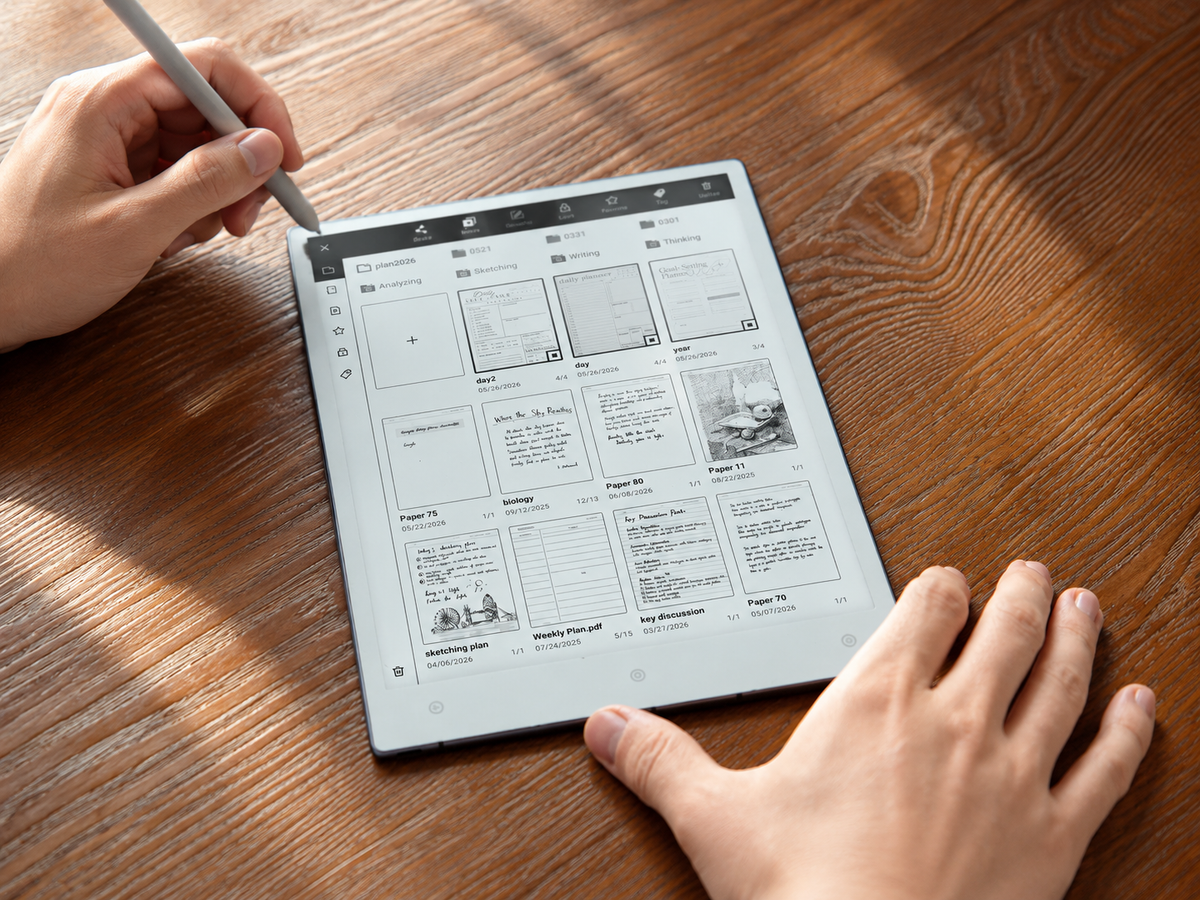
A good E Ink writing tablet can keep meeting notes, lecture notes, sketches, margin comments and planning digital from the start. The actual experience depends on pen response, note organisation, export options and software—not on E Ink alone.
Focused work
E Ink naturally favours slower-changing content. That does not make every device distraction-free, especially when third-party apps are available, but drafting, reviewing and planning generally suit the medium better than constant feed scrolling or media switching.
PDF work sits between reading and writing. A larger display can show more of an A4-style page without zooming, while a smaller device is easier to carry but may require more panning or reflow. For students, researchers and professionals, that trade-off often matters more in daily use than a long list of secondary features.
What is an E Ink tablet not designed to do well?
Electronic paper is not a universal replacement for a conventional tablet. Its strengths come from prioritising slower-changing content, and the same design choice creates clear boundaries.
Video, high-frame-rate animation and fast games remain poor matches because the screen is not designed to redraw complex motion as fluidly as an LCD or OLED display. Faster refresh settings can improve responsiveness, but they still involve compromises in clarity or residual images.
Colour E Ink exists, but its appearance and motion behaviour differ from conventional colour displays. If work depends on photo editing, colour grading, design proofing or visually rich entertainment, a conventional screen is usually the more appropriate tool.
An open app ecosystem can preserve familiar services, but compatibility does not mean that every app will feel equally natural on electronic paper. Interfaces built around rapid scrolling, animation or dense interactive controls may still feel awkward.
A useful buying distinction: separate whether an app can run from whether it suits this display. That single check can prevent many mismatched expectations.
Which buying factors matter most?
Start with the work, then choose the hardware. Four factors usually determine whether an electronic paper tablet feels useful after the novelty wears off: size, writing, reading and ecosystem.
-
Choose the screen size around documents
Smaller screens are easier to carry for books, commuting and quick notes. Larger screens give PDFs, diagrams and handwritten pages more physical room. If full-page documents are central, consider how often zooming would interrupt the workflow rather than choosing by diagonal size alone.
-
Check the complete writing workflow
Confirm stylus support first, then look at note organisation, PDF annotation, handwriting tools, export paths and how easily notes can move into the rest of the system. A pleasant pen feel matters, but trapped notes can still create extra work.
-
Match reading features to environment
Check the formats and reading sources that matter, along with library organisation, navigation and front-light availability. A front light can be valuable for evening reading, but it is not built into every writing-focused E Ink tablet.
-
Decide how open the ecosystem needs to be
Some people benefit from a deliberately narrow device with fewer distractions. Others need Android apps, cloud services or flexible file transfer so the tablet can fit an established workflow rather than forcing a new one.
Once those priorities are clear, the paper tablet buying guide provides a useful next step for comparing formats and purchase criteria.
Who should—and should not—choose one?
An E Ink tablet makes the most sense when most screen time is spent reading, handwriting, reviewing or organising information. Students may use one for lecture notes and papers. Researchers and professionals may value PDF markup, meeting notes and a persistent reading surface. Writers may use handwriting or low-distraction drafting before moving final editing to a computer.
E Ink is worth considering if…
The work is mostly page-based and does not depend on fast visual changes.
- long-form reading occupies a large part of screen time;
- handwriting or PDF annotation is central to the workflow;
- documents matter more than video or gaming;
- a focused companion device makes sense alongside a computer.
A conventional tablet may fit better if…
The dominant tasks rely on motion, rich colour or complex interaction.
- video and entertainment are primary uses;
- colour accuracy affects the work;
- rapid browser interaction is routine;
- one device must handle broad multimedia and intensive multitasking.
A simple test is to list the five activities that occupy most of your tablet time. If three or four involve static pages, handwriting or document review, E Ink deserves serious consideration. If the list is dominated by video, gaming, rich colour or fast interactive apps, a conventional tablet is likely to match those tasks more naturally.
It is also worth separating a primary computer from a companion device. An electronic paper tablet can be highly useful without replacing a laptop or iPad. Choosing it for a narrower set of repeatable tasks often leads to a clearer decision than asking whether it can do everything.
How do ghosting and refresh affect everyday use?
Ghosting is the faint trace of previous content that can remain after an E Ink screen changes. It is closely connected to the way electronic paper refreshes rather than automatically indicating a faulty panel. Partial refreshes update the screen quickly and are useful for writing, menus or page changes, but they may leave more residual information.
Content updates
The display moves pigment particles to create the next visible state rather than continuously redrawing a luminous frame.
Speed is prioritised
Faster updates can make writing and navigation feel more immediate, while some traces of the previous image may remain.
The page is cleaned up
A more complete refresh removes more residual content, although the transition may involve a brief flash or pause.
Different devices and modes balance speed and clarity differently, so the best setting depends on the task rather than one mode being universally superior. In practice, ghosting is easiest to notice when switching between strongly contrasting pages, scrolling rapidly or using visually busy third-party apps. It is less intrusive during ordinary page reading or note-taking, where screen changes are slower and more predictable.
Battery behaviour needs similar context. The display can hold a static image without continuously redrawing it, but the complete device still uses power for processing, wireless connections, front lighting, apps and refresh activity. Compare the whole device and the intended workload rather than assuming every E Ink product will behave the same way.
Where do Viwoods devices fit the main use cases?
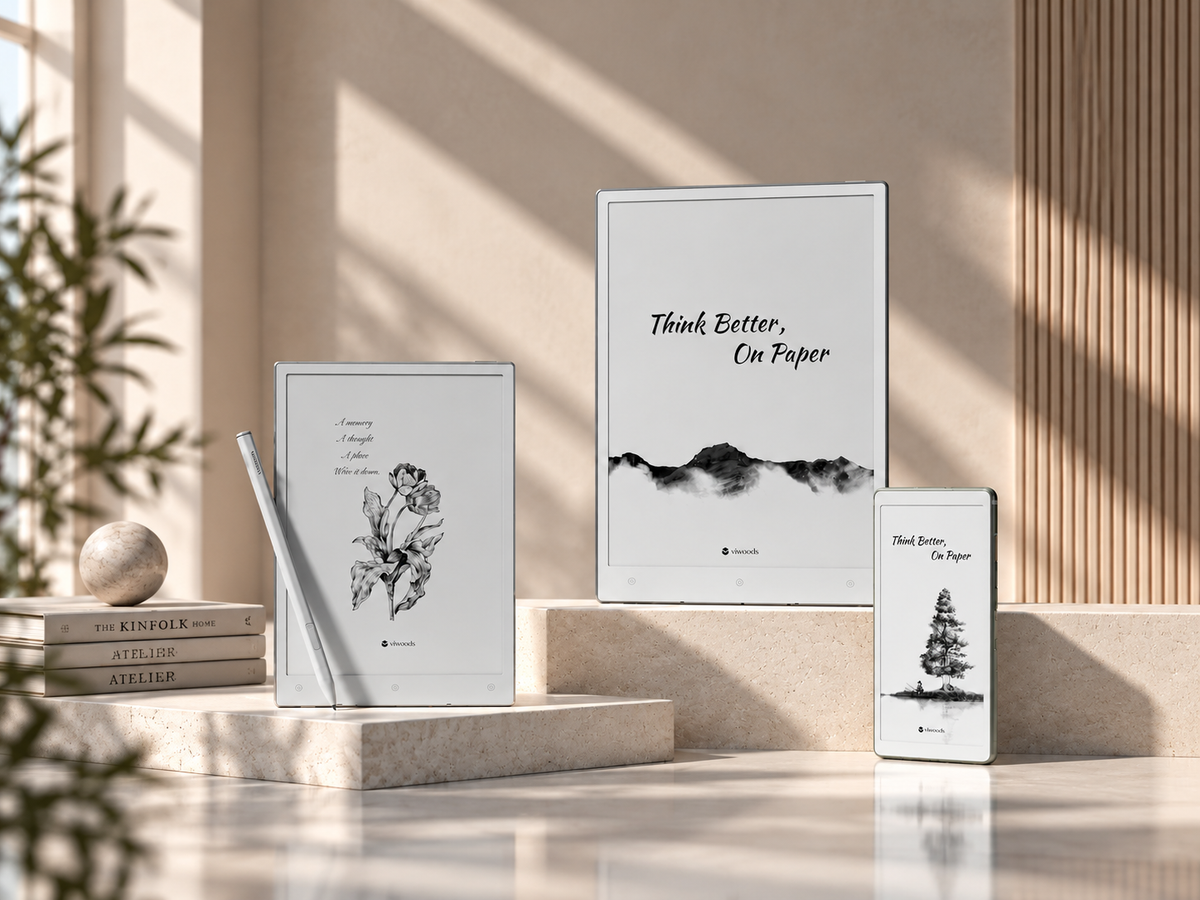
The Viwoods range covers three different points on the reading-to-writing spectrum, so the useful question is not which model has the longest feature list. It is which device puts the right amount of screen, writing capability and portability around the task repeated most often.
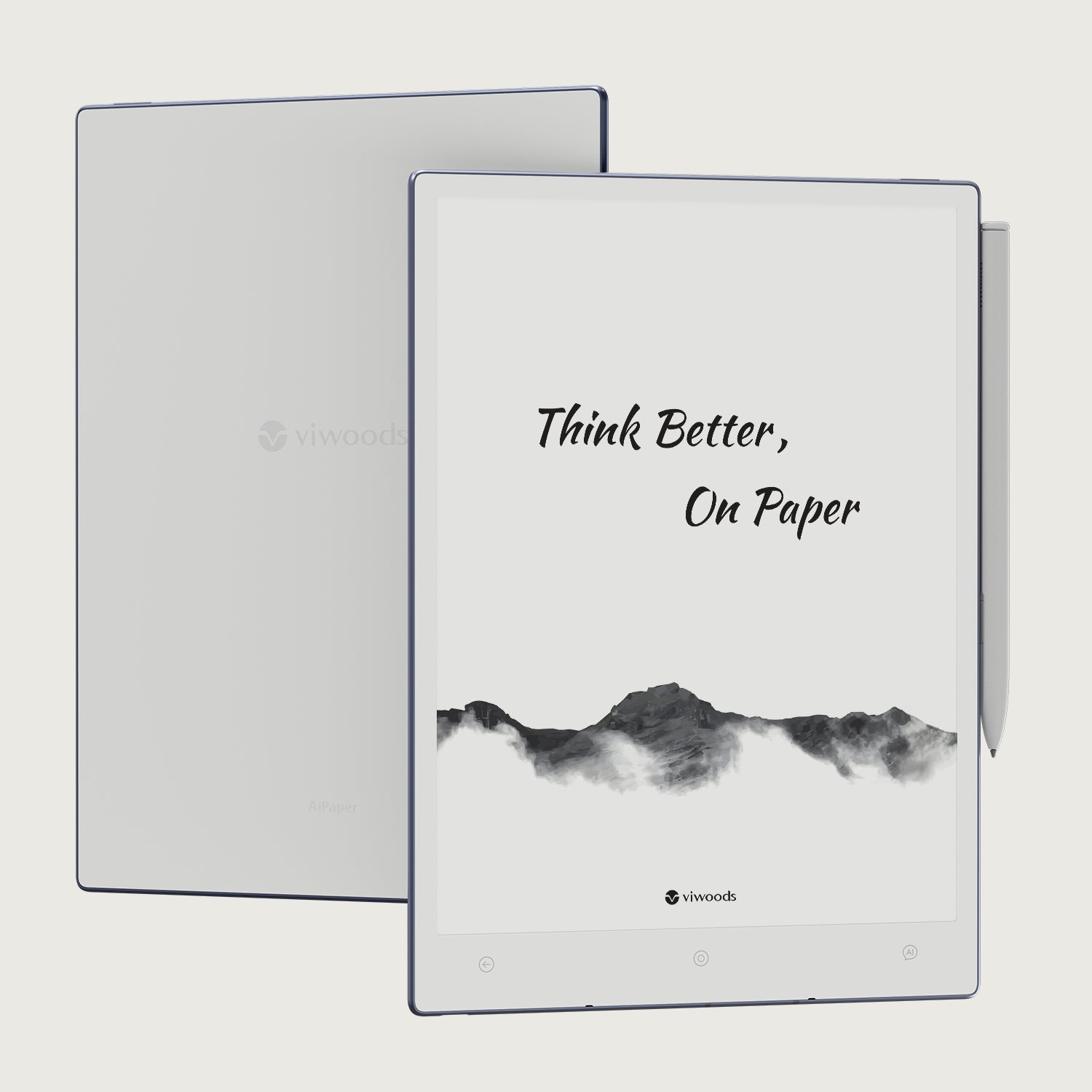
Viwoods AiPaper
AiPaper is the larger writing-and-document option. Its current specification lists a 10.65-inch Carta 1300/Mobius display, stylus-based note tools, PDF annotation and an open Android environment. It does not include a front light.
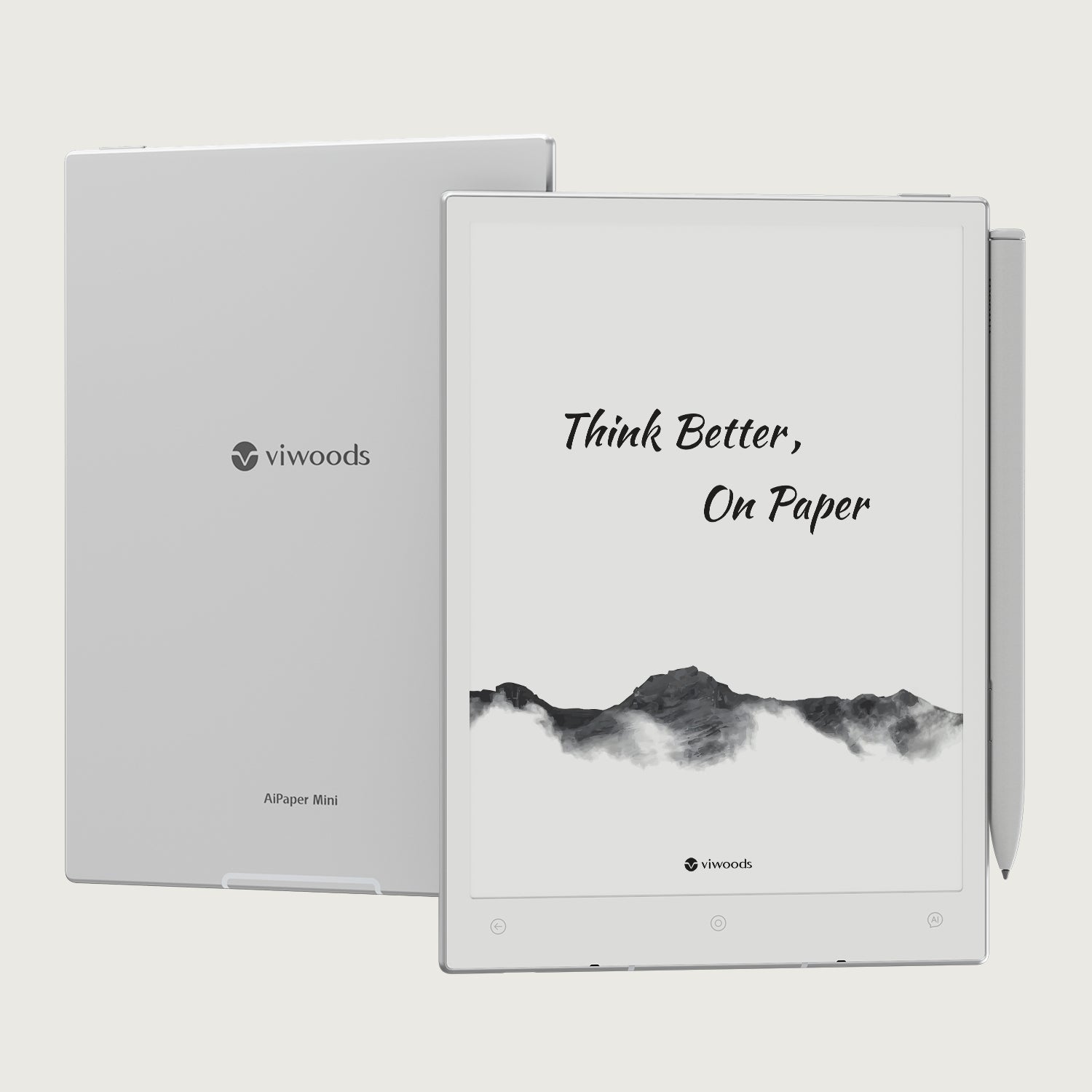
Viwoods AiPaper Mini
AiPaper Mini moves the handwriting concept into a more portable 8.2-inch format. Current product information lists stylus-based notes, PDF markup, an open app ecosystem and an adjustable front light.

Viwoods AiPaper Reader
The current black-and-white Reader specification lists a 6.13-inch Carta 1300 display, adjustable front light, Android 16, multiple refresh modes and no stylus support.
The practical answer to what is an E Ink tablet is that it is not simply an iPad with a paper screen. It is a category with different priorities: reflective reading, deliberate writing and slower-changing information. Once those priorities match the real routine, compare Viwoods paper-like tablets by reading and writing need rather than by feature count alone.

Hinterlasse einen Kommentar
Diese Website ist durch hCaptcha geschützt und es gelten die allgemeinen Geschäftsbedingungen und Datenschutzbestimmungen von hCaptcha.